Yes. Paste a public t.me channel post link into the tool above to preview and download its video without logging in. Private groups, restricted channels, and batch media require the Chrome extension inside your own Telegram Web session.
No sign-up · Fast · Batch ready
How to Use TG Downloader Chrome Extension
Step-by-step guide: install TG Downloader, open Telegram Web, then save videos with one click or batch export.

How to use Telegram video downloader
Five clear steps to install TG Downloader and download Telegram media on Chrome
1
Install the Chrome extension
Install TG Downloader from the Chrome Web Store, then pin it to your toolbar for quick access while you browse Telegram Web.
Install from Chrome Web Store
Click Add to Chrome
Pin TG Downloader to the toolbar
Ready in seconds
💡 Tip: After pinning, the extension icon stays visible in the Chrome toolbar.

2
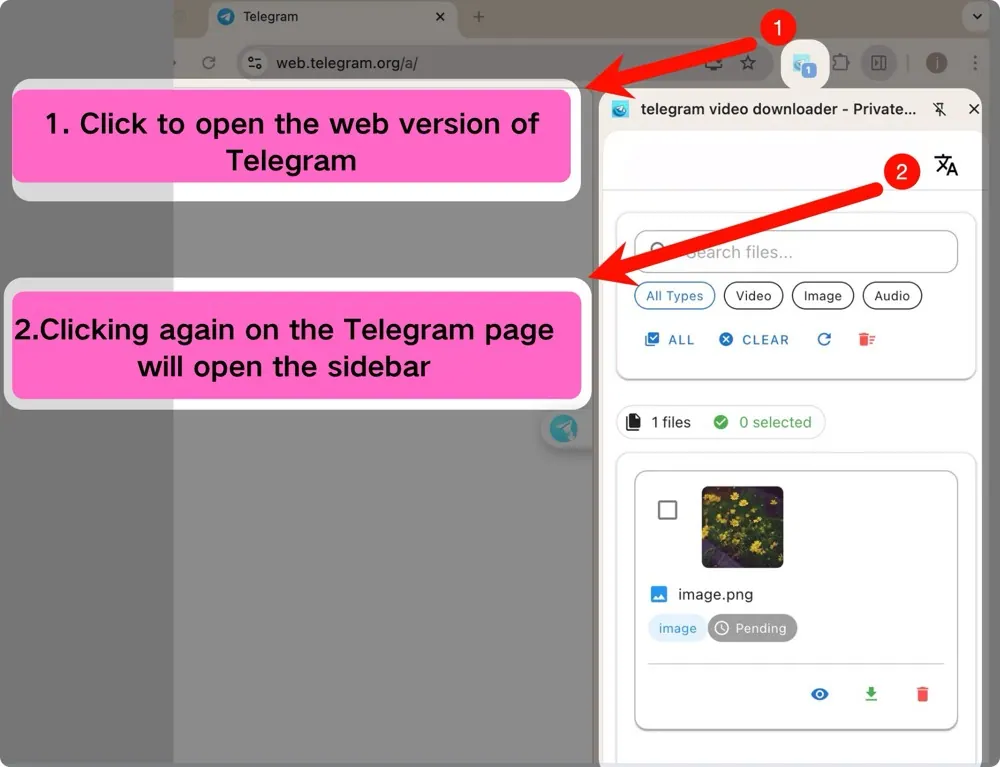
Open Telegram Web
Open https://web.telegram.org/k or https://web.telegram.org/a, sign in, then open the TG Downloader sidebar to search and filter media.
Open Telegram Web K or A
Open the extension sidebar
Search files in the chat
Filter media by type
3
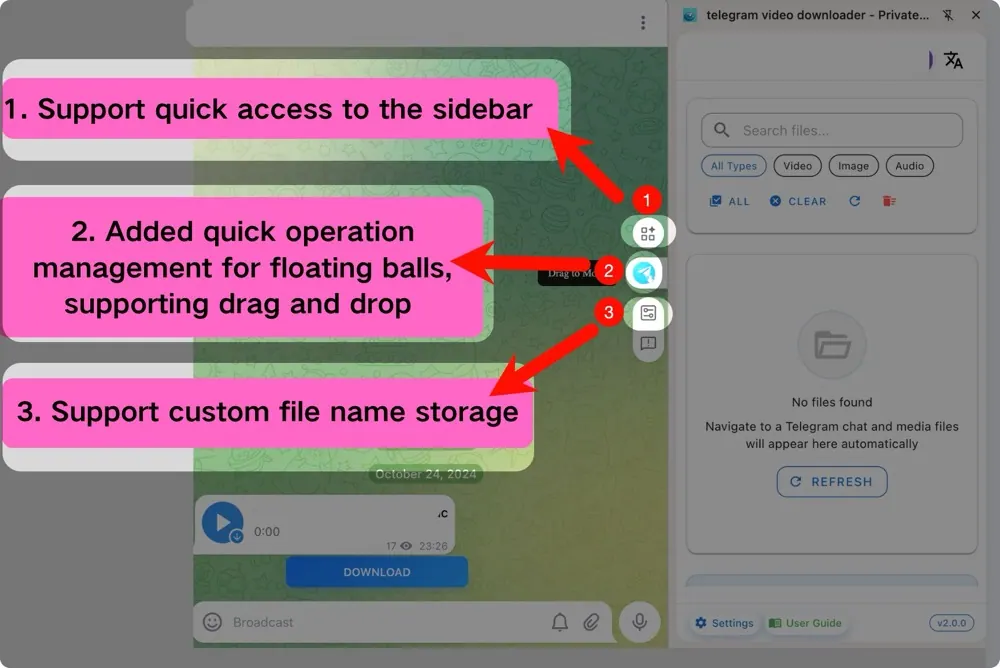
Use sidebar quick access
Use the sidebar and floating controls to reach downloads faster, manage naming, and keep Telegram media saving organized.
Sidebar quick access
Floating ball controls
Drag-and-drop friendly workflow
Custom file name settings
4
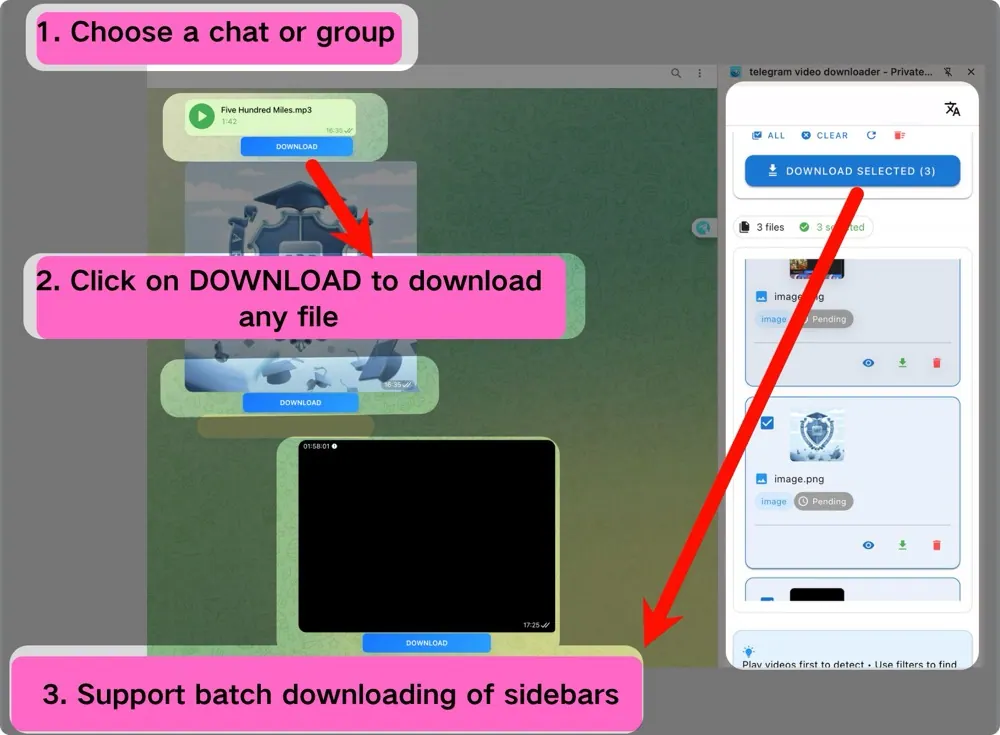
Batch download media
Select multiple Telegram videos or files in the side panel, start downloads together, and track progress in one place.
Select multiple files
Start downloads together
Monitor download progress
Manage download tasks
5
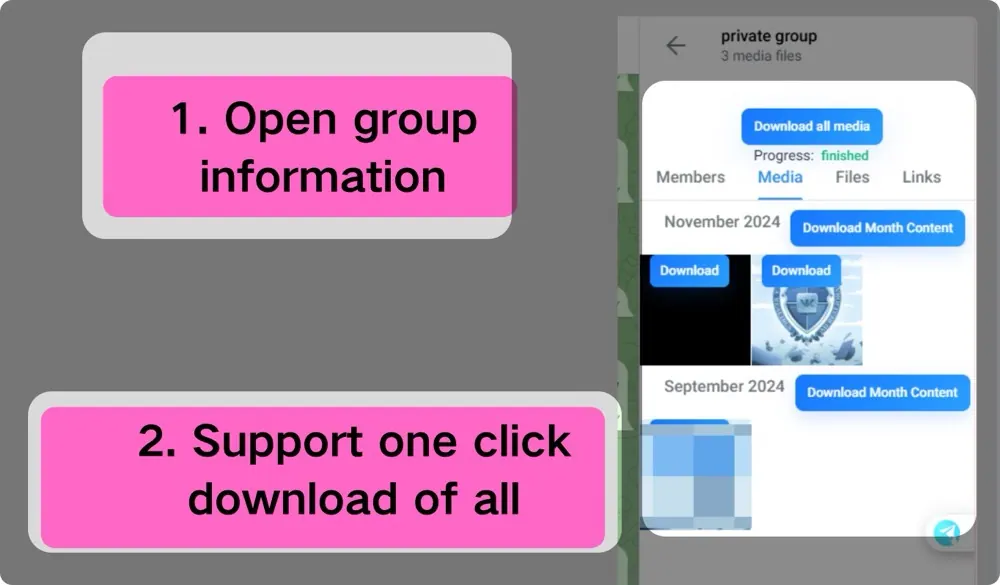
Download from group or channel info
Open group or channel info to see media stats, then use Download all media or monthly batch actions to archive faster.
View group media stats
One-click download all media
Batch download by month
Track download status
Start using TG Downloader
Install once, open Telegram Web, and save videos, photos, and audio with one click or batch export.